If you’ve spent the last decade watching n8n, Zapier, and a thousand automation platforms promise to fix IT ops, you’ve probably noticed they all miss the same thing: they’re disconnected from your actual infrastructure.
Your Microsoft services live behind Entra ID, your resources are locked down with Managed Identities, and the tools your team actually uses (Service Desk, Exchange, Teams, Azure Monitor) are already integrated into your tenant. So why would you send requests outside it?
That’s where agent loops inside Azure Logic Apps come in. This isn’t robotic process automation. Instead, this is Azure infrastructure automation, where systems observe your environment, reason about what’s happening, act on it, and learn from the results. All within your own tenant.
We’re a growing Manchester firm that lives in Azure every day. Over the last 18 months, we’ve been building and refining these patterns for clients. This series is what we’ve learned.
What is an agent loop?
An agent loop is a system that combines language reasoning with real time action. Rather than following a pre-built workflow (if X then Y), an agent observes your environment, reasons about what it needs to do, takes an action, checks the result, and adapts.
Here’s the difference between traditional automation and this approach:
- Traditional automation: “Monitor CPU. If CPU > 80%, trigger restart script.”
- Agent loop: “CPU is high. Check if it’s a real problem or measurement spike. Look for the actual culprit (process, leak, config). Fix it at the source. Verify the fix worked. Report what you did.”
In Azure Logic Apps, the loop works like this:
- Agent receives an observation or question
- It then calls an OpenAI reasoning model (GPT-4 Turbo or newer)
- Based on its instructions and your data, the model suggests an action
- Agent executes that action inside your tenant (via Managed Identity)
- Result flows back to the model
- Model decides: is this resolved, or do we need another action?
- Loop repeats until the model says “done”
Here’s the important bit: every action happens inside your Azure tenant. No secrets leave. No credentials get rotated around. Meanwhile, your Managed Identity handles permissions, and the agent never gets root keys.
Azure infrastructure automation: the autonomous SRE concept
We’ve started calling this “Autonomous SRE”. Essentially, it’s a system that acts like your most experienced site reliability engineer, but it doesn’t sleep and it doesn’t forget to document what happened.
An autonomous SRE can:
- Investigate infrastructure alerts before a human sees them
- Root-cause issues by querying logs, metrics, and config in parallel
- Self-heal common problems automatically
- Escalate to humans with full context when needed
- Keep an audit trail of every single decision
What sets this apart from traditional SRE automation is the intelligence layer. Runbooks are useful, but a reasoning agent can adapt. Rather than just executing a pre-written script, it thinks about the specific situation and decides what to do.
Case study 1: KQL reasoning, where the agent writes its own queries
Last month, we were investigating Azure cost overruns for a client. Traditionally, that would mean spending 2 hours manually querying Log Analytics across dozens of resource groups, correlating timestamps, and finding which service spun up extra instances.
Instead, we fed the agent the KQL schema, told it which workspaces it had access to, and asked: “Why did our daily costs spike on March 12?”
Here’s what happened:
- First, the agent understood the question and decomposed it: “I need compute costs, storage costs, and network costs. I’ll query the CostManagement API and correlate with resource activity.”
- It then wrote three KQL queries on the fly, properly scoped, with the right time filters
- Results showed compute was the culprit, so the agent dug deeper: “Which compute resources changed?”
- After querying the resource deployment history, it found a new VM scale set that was auto-provisioned
- Next, it checked the Application Gateway logs and found the traffic pattern that triggered the auto-scale
- Finally, the agent wrote a summary: “Cost spike was caused by Application Gateway traffic spike on March 12 at 03:47 UTC, triggering auto-scale. Root cause: suspicious traffic pattern. Recommendation: add WAF rule.”
Total time: 8 minutes. Human time: zero (except for reading the report).
Crucially, the agent didn’t execute a stored query. Instead, it reasoned about your infrastructure, wrote its own queries, and adapted based on what it found.
Why this matters for SMEs
If you’re a 20-person engineering team running cloud infrastructure, you don’t have the luxury of hiring a dedicated SRE for every workload. Typically, you have one person wearing 6 hats.
As a result, this agent loop becomes an extra person on the team a reasoning system that can own investigation and first response while your engineer focuses on architecture decisions and the stuff that actually needs a human.
Case study 2: self-healing infrastructure, the Zombie Hunter
One of the simplest but most effective patterns we’ve built is the “Zombie Hunter” a workflow that finds and terminates orphaned resources.
In most cloud environments, you accumulate junk over time:
- VMs that were spun up for testing and never deleted
- Storage accounts with zero traffic for 6 months
- Network security groups attached to no resources
- Snapshots from backups that are older than retention policy
Rather than running an audit report and manually cleaning up (which never happens, let’s be honest), we let the agent do it autonomously.
Here’s the Zombie Hunter workflow:
- Runs on a schedule (nightly) or on demand
- Agent queries all resources in the tenant with their last-access timestamps
- For each resource older than the retention threshold, the agent checks: “Is this resource safe to delete? Does anything depend on it?”
- It then reviews configuration, deployment state, and recent activity logs
- If safe, the agent marks it for deletion and sends a 7-day notification to Slack/Teams
- If no one objects within 7 days, it deletes the resource and logs the action
As a result: zero manual effort, a full audit trail, and a cost reduction that compounds monthly.
Security: why Azure infrastructure automation has to live inside your tenant
Most teams have one big concern: “If we give an AI system broad permissions, won’t it go rogue?”
Good instinct. But the answer is architectural, not philosophical.
Azure Logic Apps + Managed Identity + Role-Based Access Control (RBAC) = guardrails.
Your agent loop runs in your tenant, authenticated as a Managed Identity with explicit, scoped permissions. Because of this, it can’t access resources outside its assigned scope, and it can’t exceed its RBAC role. There’s also no way for it to store secrets externally or bypass Entra ID policy.
In contrast, external automation platforms need API keys (stored somewhere, rotated inconsistently), service principal credentials (handed out, logged, shared across teams), network trust rules to allow inbound webhooks, and data traversing the public internet
Agents inside your tenant are instead more like a trusted senior engineer with a specific job description and permissions tied to that job. They’re scoped, audited, and bound by the same Entra ID policies as everyone else.
An autonomous loop needs more than a model call. It needs a bounded task, trusted source data, retry behaviour, a record of what happened, and a human route when the answer is uncertain. Our Azure Agent Loops service uses Azure Functions and Logic Apps to put those controls around real operational work.
Model selection and guardrails
Which model should you use for your agent loops?
For cost sensitive work (KQL queries, routine triage)
GPT-4o or GPT-4 Turbo. Both are fast, cheaper, and offer good reasoning. If you’re doing lightweight KQL generation or classifying alerts, either is your model.
For complex reasoning (root cause analysis, multi-step investigation)
GPT-4 Turbo or o1 reasoning. These models are slower but noticeably better at working through multi-step problems. They’re worth the extra latency for deep troubleshooting.
For real time operations (alert response, instant triage)
GPT-4o. Fast enough for synchronous workflows. Use async for anything that can wait.
Guardrails you need and these are not optional:
- Cap token limits on model input to prevent runaway costs. Even a single badly formatted log file can blow your budget.
- Maintain an action allowlist. Specifically, the agent can only call approved Azure APIs, no “delete anything” permissions.
- Add human approval gates for destructive operations (delete, restart, config change). Always require sign-off before execution.
- Log everything. Every decision, every action, every failure. Store in Azure Log Analytics or Azure Table Storage.
- Set loop exit conditions. If the agent loops more than N times without resolution, escalate to a human instead of retrying forever.
Together, these guardrails are the difference between intelligent automation and “the system that deleted the database at 3am”.
Getting started with Azure infrastructure automation
First, pick a use case with clear success metrics. Not “automate everything” instead, pick one thing: cost investigation, orphaned resource cleanup, alert triage. Something you can measure.
Next, map your permissions. What Managed Identity role does the agent need? Scope it to a resource group or subscription, and don’t go broad.
Then define your data. Specifically, what logs, metrics, or config does the agent need to read? Grant read only access first.
After that, build the loop in Logic Apps. Trigger, agent call, action, result check, loop or exit. It’s not complicated once you’ve done it once.
Test with a small data set. For example, feed it 10 alerts, not 10,000. See how it behaves.
Monitor the outputs carefully. Cost, latency, error rate you’ll quickly see if the agent is looping efficiently or getting stuck.
Finally, add guardrails incrementally. Start with read only access. Then add approval gates for mutations, followed by audit logging. Don’t try to do everything at once.
And honestly? Start with someone who knows both Azure and AI reasoning. This is new enough that having that person matters. We can handle the initial setup, and you’ll have the pattern in-house for your next project.
Where this is going
This first post covers the core concept and two infrastructure use cases. However, the interesting part is what happens when you combine agent loops with your business operations.
The next two field notes test that pattern against real operational workflows:
- Part 2: The Service Desk Agent — a tested shared-mailbox triage workflow, including the plausible but invented policy that kept external replies behind human approval.
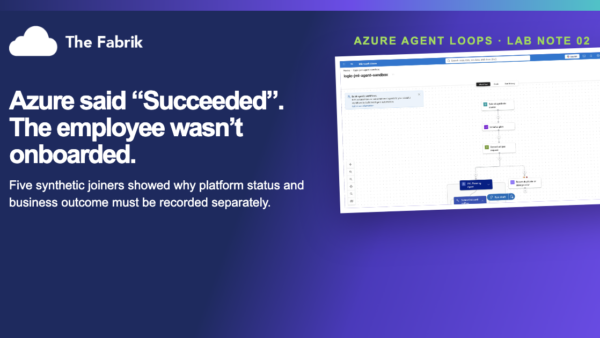
- Part 3: The Employee Onboarding Agent — five synthetic joiner runs that exposed the difference between a successful Azure run and a completed business process.
Each field note separates what we built and tested from the production controls or extensions that remain untested.
How we can help
If you’re running Azure infrastructure and tired of managing runbooks that haven’t been updated in two years, we can build an autonomous infrastructure agent scoped to your tenant. We’ll start with a read-only proof of concept so you can see the value before granting any write permissions.
Get in touch or email us at hello@thefabrik.co.uk.
Darren Jones is the founder of The Fabrik, a Manchester-based Microsoft consultancy helping SMEs get more from their Azure and Microsoft 365 investment.