By Darren Jones, founder of The Fabrik and a former CTO. This AI employee onboarding agent field note is based on a first-hand Azure Logic Apps experiment completed on 27 July 2026.
In the first article in this series, I wrote about agent loops in Azure Logic Apps: give a model a bounded job, let it call approved tools, check the result and either continue or stop.
That was the architecture. This is one of the field tests.
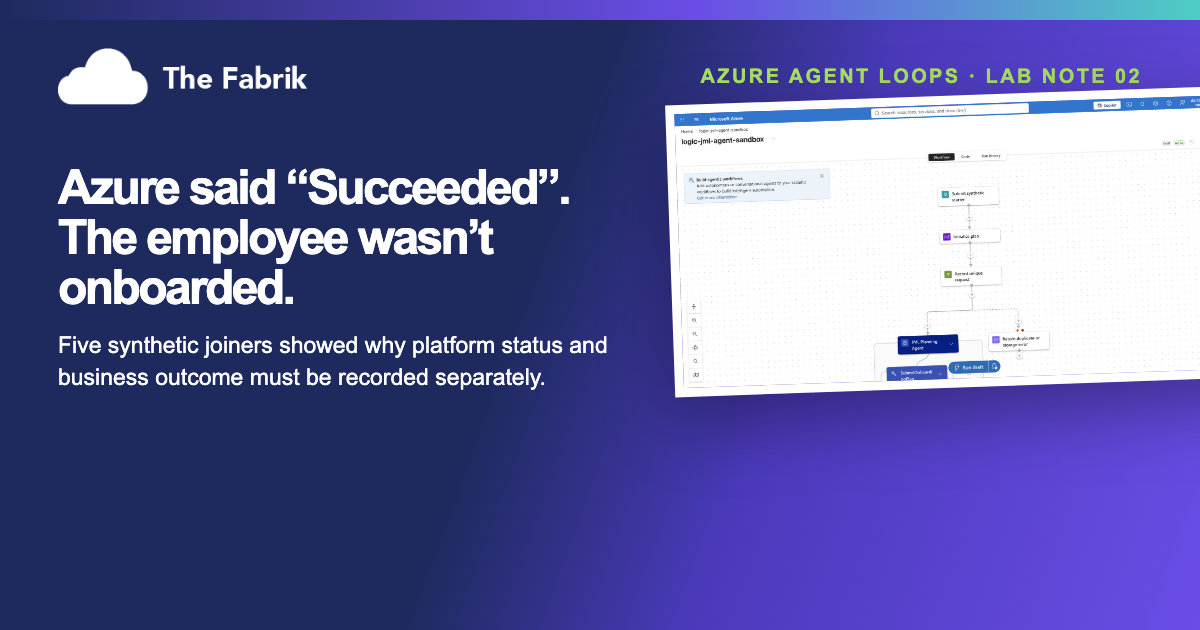
We built an AI employee onboarding agent in Azure Logic Apps and ran five synthetic joiners through it. Three followed the normal path. In one test we made the agent return no usable plan. The workflow caught it, routed the case to manual review and finished exactly as designed.
Azure marked that run Succeeded.
The employee was still not onboarded.
That gap became the most useful finding in the test. A green platform status tells us the workflow ran correctly. It does not tell operations whether the joiner received an account, the right access or even reached the end of the process.
What did the AI employee onboarding agent test show?
The test showed that Azure runtime status and employee onboarding status must be tracked separately. A Logic Apps run can correctly finish as Succeeded after routing a bad agent response to manual review, even though the joiner has not completed onboarding.
The practical design rule is simple: record both platform health and the business outcome. Give the model no provisioning authority, keep access requests deterministic, and put consequential Microsoft Graph permissions behind a separately permissioned worker and explicit approval.
The short version
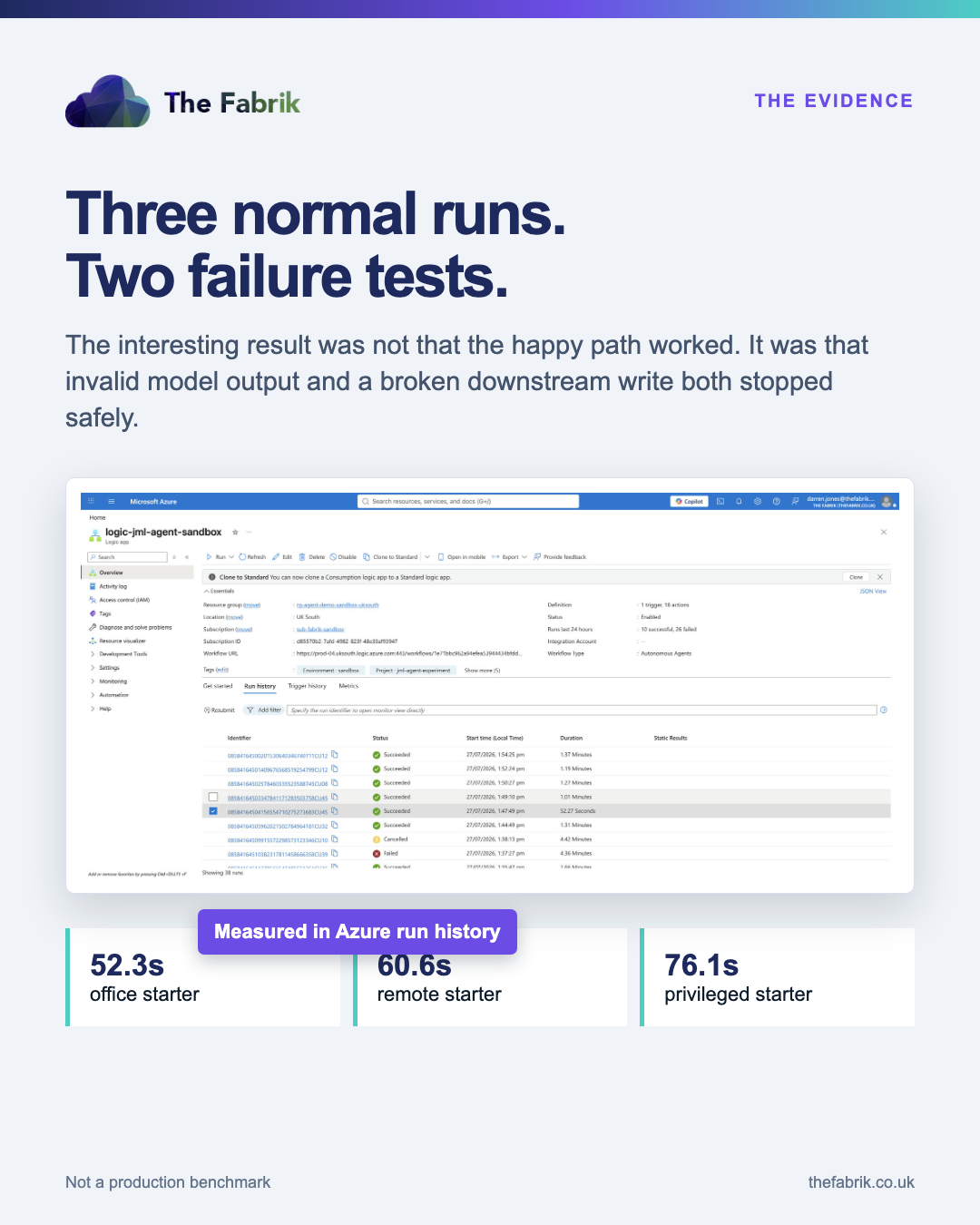
The normal runs completed in 52.3, 60.6 and 76.1 seconds. The privileged starter was correctly marked for manual approval. Both deliberate failures stopped before the workflow could write its welcome draft or completion record.
Importantly, no Power Platform environment was involved. Instead, the build runs entirely in Azure Logic Apps with Azure OpenAI and Azure Table Storage.
It did not create a real employee, add anyone to an Entra group, assign a Microsoft 365 licence or send an email. The managed identity had no Microsoft Graph permissions.
That was the test boundary, not an unfinished demo.
Where this fits in the Agent Loops series
The first Agent Loops article described the loop: observe, reason, act, verify and repeat inside Azure.
The service desk build exposed a different failure. Its drafted reply invented a five-working-day company policy. The wording sounded normal, which made it more dangerous than obvious nonsense.
This onboarding test asks a more operational question: how do we know the business process actually finished when the agent can route, pause or fail safely inside a technically healthy workflow?
That requires two kinds of evidence. Azure run status tells us whether the workflow behaved as designed. A separate business status tells us whether the employee completed, needs manual review or stopped after a failure.
It sits alongside the email-triage and customer-onboarding builds already planned for this series. We moved this field test forward because access decisions are where the boundary between useful judgement and real authority becomes impossible to ignore.
How we built the AI employee onboarding agent
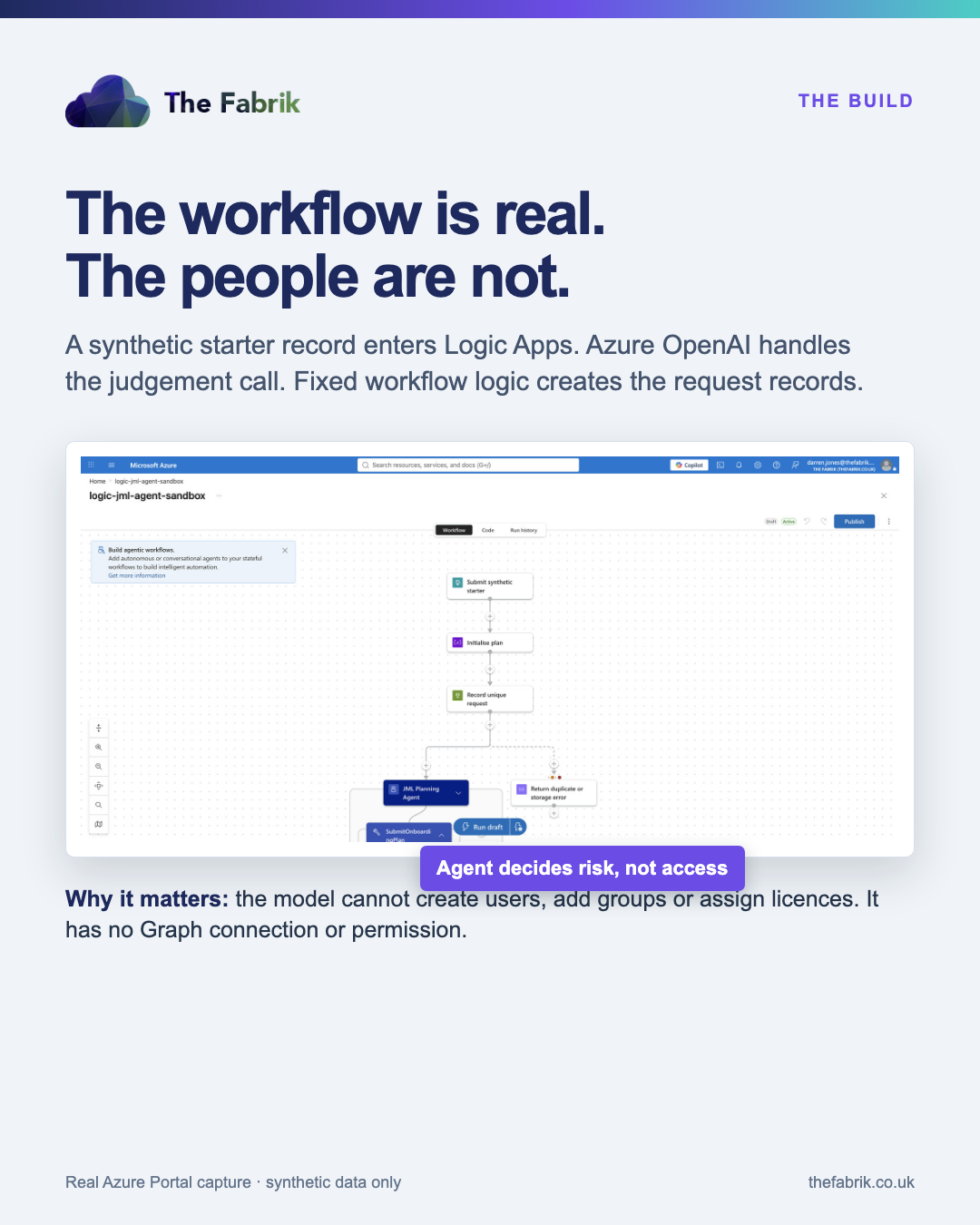
The workflow receives a synthetic starter record with a role, department, manager alias, start date, work style and access profile.
Logic Apps then:
- checks that the record is synthetic and follows the test naming rules;
- reserves the starter ID so a retry cannot quietly create a duplicate;
- asks the Azure OpenAI agent to assess risk, decide whether approval is needed and draft welcome wording;
- validates the structured response;
- creates fixed account, group, licence and onboarding-task request records; and
- stores the welcome message as
captured-not-sent.
The distinction matters. The agent interprets the starter context. Workflow logic decides which request records exist.
A second finding: the agent tried to expand its own job
During an early run, the agent added mailbox, OneDrive, group and licence actions to an account-request description.
They were plausible onboarding tasks. They were also outside its job.
As a result, nothing changed in the tenant because there was no Graph connection and the workflow identity had no directory permissions. Afterwards, we tightened the contract so the model no longer generated provisioning actions at all.
This is the same family of failure we saw in the service desk test. The model did not produce gibberish. It filled in a gap with something that sounded reasonable.
In a draft reply, that can create a fictional promise. In employee onboarding, it can become a request for access nobody approved.
The model can help interpret ambiguity. It should not invent entitlements.
What the five runs showed
| Scenario | Azure run time | Business outcome |
|---|---|---|
| Office starter | 52.268 seconds | Completed |
| Remote starter | 60.550 seconds | Completed |
| Privileged starter | 76.117 seconds | Run completed; access held for manual approval |
| Agent returned no valid plan | 71.237 seconds | Manual review; happy path blocked |
| Downstream write failed | 82.137 seconds | Draft and completion blocked |
The mean for the three normal cases was 62.978 seconds.
For context, those timings come from Logic Apps run history. However, they are not a production onboarding benchmark. They exclude real directory replication, licence availability, equipment fulfilment and the time a manager takes to approve access.
A green Azure run can still mean "manual review"
The invalid-plan test followed its safe branch and completed. Azure could therefore mark the workflow run as Succeeded.
The platform was right: the workflow behaved as designed. But the employee was not onboarded.
We wrote a separate business status to JMLRuns. It records whether the joiner completed, needs manual review or stopped after a downstream failure.
This sounds like a small implementation detail. It is not. Platform health and business outcome are different facts, and operations teams need both.
The identity boundary
The Logic App uses a system-assigned managed identity with two roles:
- Storage Table Data Contributor on the sandbox storage account
- Cognitive Services OpenAI User on the sandbox Azure OpenAI resource
It can call the model and write the experiment evidence. It cannot create users, modify groups or assign licences.
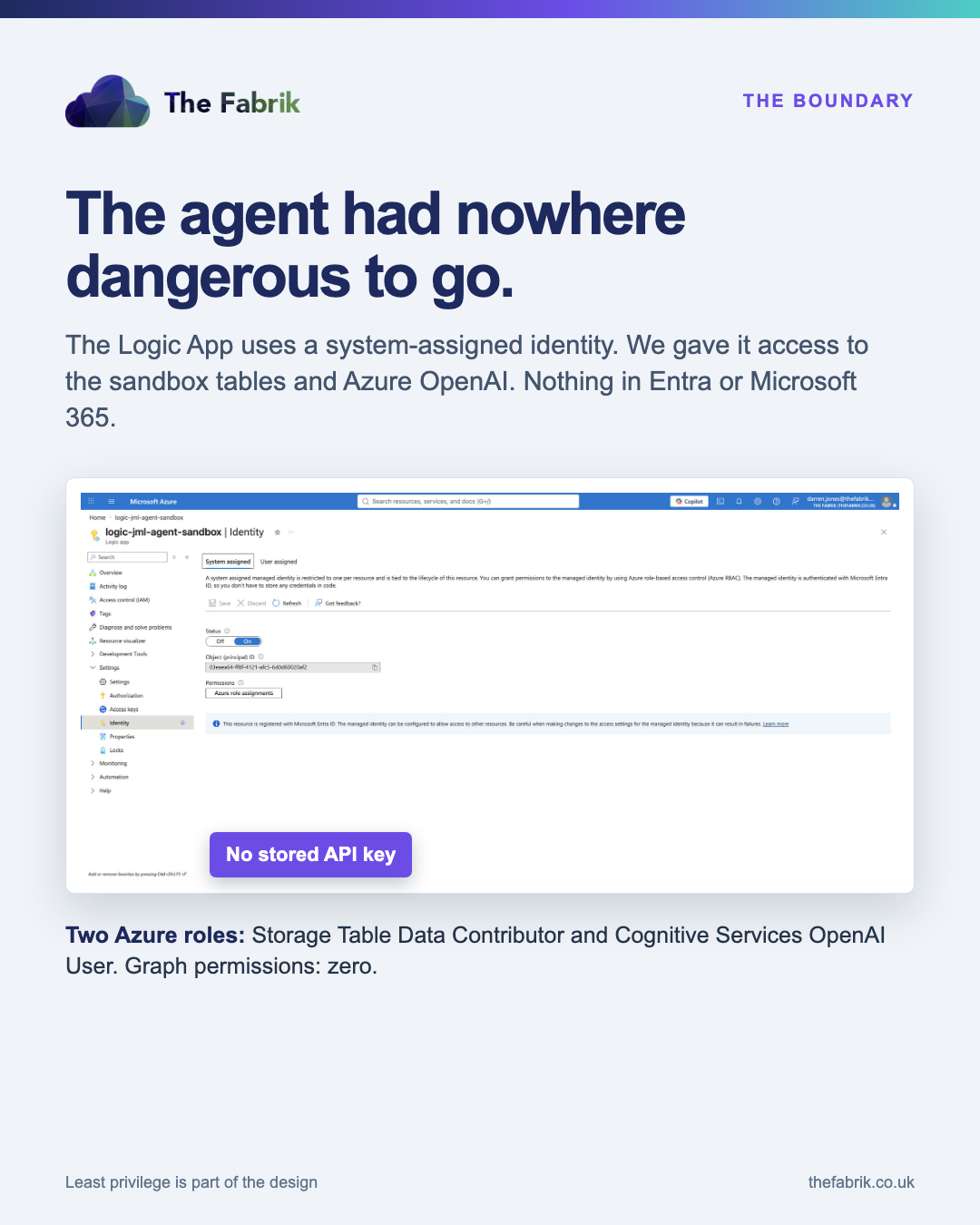
Prompts are useful instructions. Permissions are the actual boundary.
What broke while we built it
The existing model deployment had a 1K tokens-per-minute limit. Our prompt and tool schema were larger, so the action waited at the model gate and looked stuck. We created a separate 10K TPM deployment for the experiment rather than changing capacity used by the service desk build.
The agent also returned arrays as JSON strings. A foreach action expected an array and failed. We could have kept adding conversion logic, but the safer answer was to stop asking the model to generate the task list.
Finally, the synchronous HTTP response was the wrong contract for work that could outlive the caller's timeout. A production version should accept the request, return a tracking ID and persist the result for polling or a later notification.
None of these problems is particularly glamorous. They are exactly the things a polished architecture diagram leaves out.
Could the workflow hand off to Entra?
Yes. Microsoft Graph can create a user, add that user to a group and assign a licence.
We did not test those operations here.
I would put them behind a separate provisioning worker:
- the agent prepares a request, without write authority;
- workflow rules compare the request with an approved role and access catalogue;
- privileged or exceptional access waits for a named approver;
- a separate identity performs only the allowed Graph operations;
- the workflow reads the resulting user, group and licence state back from Graph; and
- the audit record stores the request, approval, change and reconciliation result.
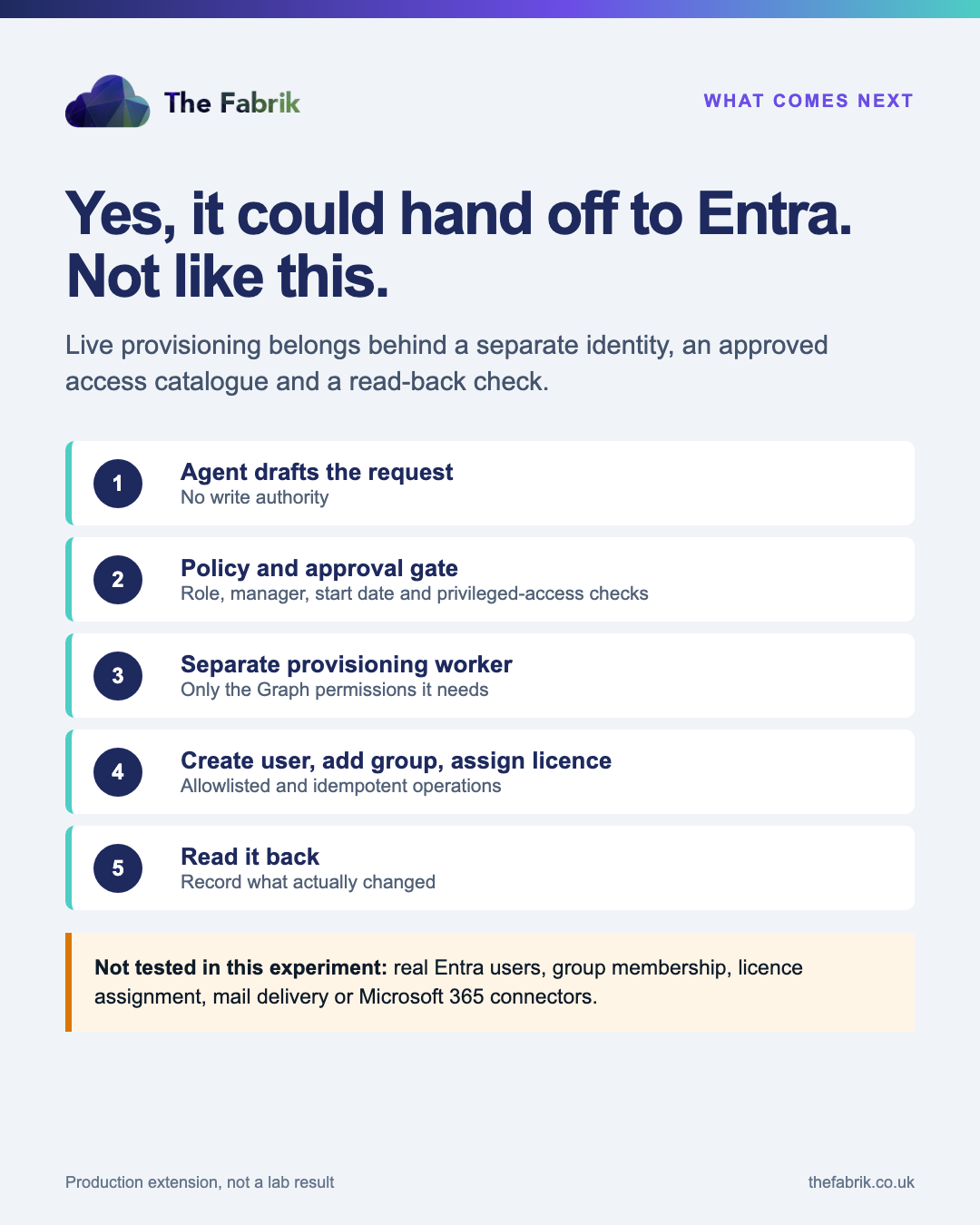
Creating users, changing group membership and assigning licences require consequential Graph permissions. I would not put those permissions on the same identity that interprets free text.
Group-based licensing can reduce direct licence writes where it matches the organisation's access model. It does not remove the need to govern who can change group membership.
What this test proved, and what it did not
The test proved that the Logic App could interpret five synthetic joiners, route a privileged case for approval, persist useful evidence and stop the happy path in both deliberate failure scenarios.
However, we also found a design flaw before it had permission to matter: the model tried to expand the access request beyond its brief.
At the same time, we did not create a live user, change a group, assign a licence, send a message or create a Planner task. Moreover, we do not yet have a reliable marginal cost figure because the relevant Azure Cost Management data is delayed and the captured agent output did not contain a complete token total.
Therefore, that is the value of the lab sequence. Start with evidence and no mutation. Add one controlled action. Read it back. Expand only when the failure behaviour is understood.
Would I use an AI employee onboarding agent in a real joiner process?
Yes, where the process is repetitive and the organisation can define its access rules.
I would start with request preparation, approval routing and evidence. Then I would add one separately permissioned action at a time: create the user, read it back, add a standard group, read it back.
Privileged access should stay behind a named human decision. So should any exception the access catalogue cannot explain.
If your joiner process still moves between an HR spreadsheet, an IT inbox and several people remembering what normally happens, The Fabrik's JML automation service starts with that process and its controls. The agent comes later, where judgement genuinely saves work.
Frequently asked questions
What is an AI employee onboarding agent?
It is a workflow that uses an AI model for bounded judgement inside an employee onboarding process. In this test, the model assessed risk and drafted welcome wording. Deterministic Logic Apps actions created the synthetic request records.
Did the agent create users or assign Microsoft 365 licences?
No. The Logic App had no Microsoft Graph permissions. It did not create an Entra user, change group membership, assign a licence or send a message.
Why did Azure show Succeeded when onboarding was incomplete?
The workflow detected an invalid agent response and followed its safe manual-review branch. Azure correctly reported that the workflow itself completed, while the separate JML business status showed that the joiner had not completed onboarding.
How should a production onboarding workflow handle Entra changes?
Use approved role and access rules, named approval for privileged or exceptional access, and a separate worker identity with only the Graph permissions it needs. Read the resulting user, group and licence state back from Graph before marking the business process complete.